Wednesday, June 10, 2015

Genius Hour Open House

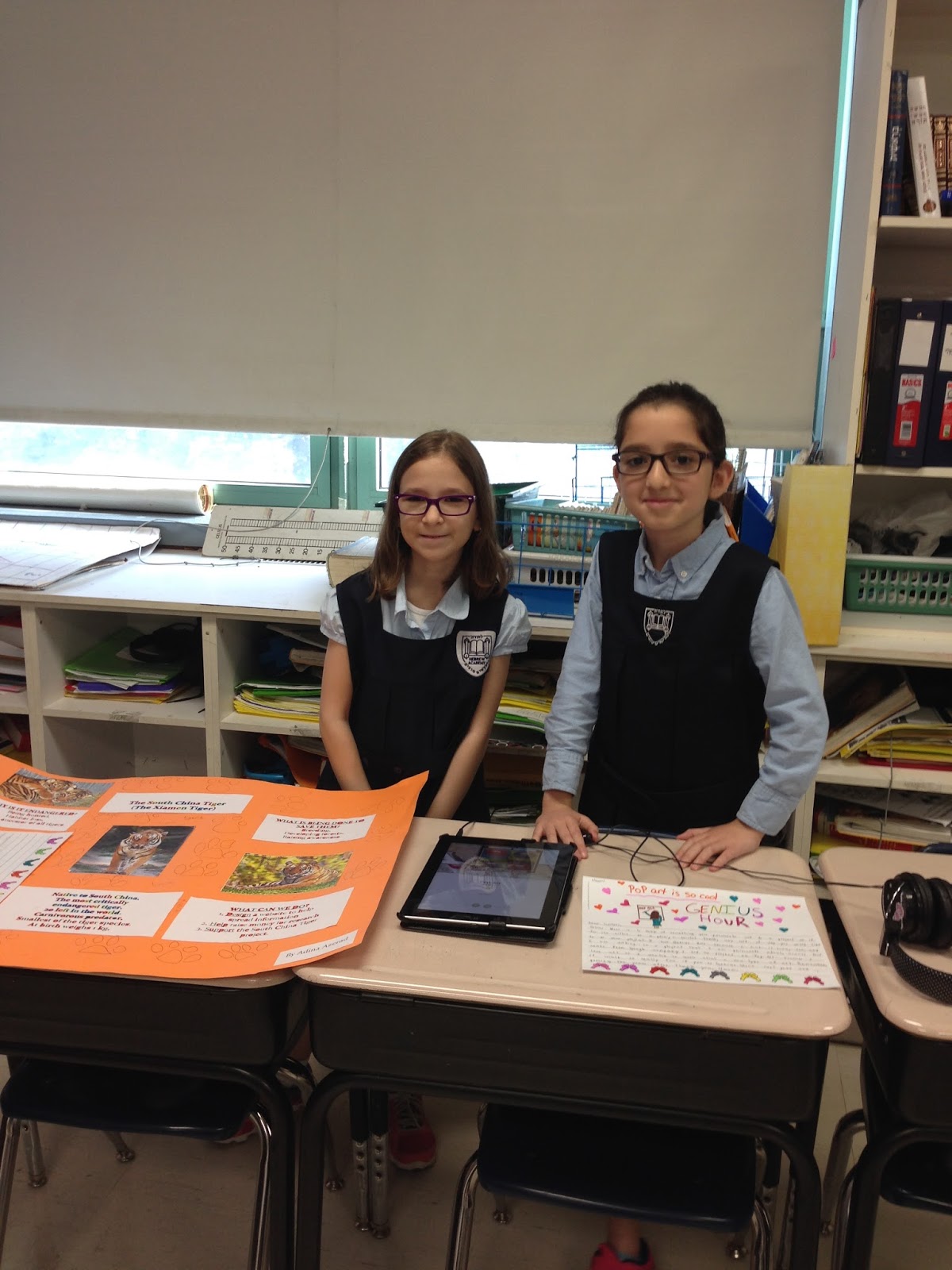
Today we had our first Genius Hour Open House! I invited all the administrators and staff in our school to "drop in" during an hour period this morning to learn about Genius Hour and see our projects. We set the desks up in a big circle around the class and my students all stood behind their desks with their ipads, laptops, bristol boards, displays, or whatever they presented their projects with. Visitors came in and my kids were thrilled to share their work!
They had also written persuasive letters to their "future teachers" explaining what Genius Hour was and why they should continue to have Genius Hour next year. Our answers ranged from "It was fun," to "Genius Hour gives me a chance to learn about things that I am passionate about and I have more things that I want to learn!" Our guests got to read those letters too.
I am happy that  so many teachers had the opportunity to learn what Genius Hour is and saw how motivated my kids were to present their hard work!
Genius Hour was a wonderful experience for me and it was partly due to the incredible Genius Hour community of teachers that I have connected with through the Facebook group and Twitter chats who share their knowledge and experiences  I already have my ideas of what I can improve on for next year!


Tuesday, May 12, 2015

Genius Hour 4

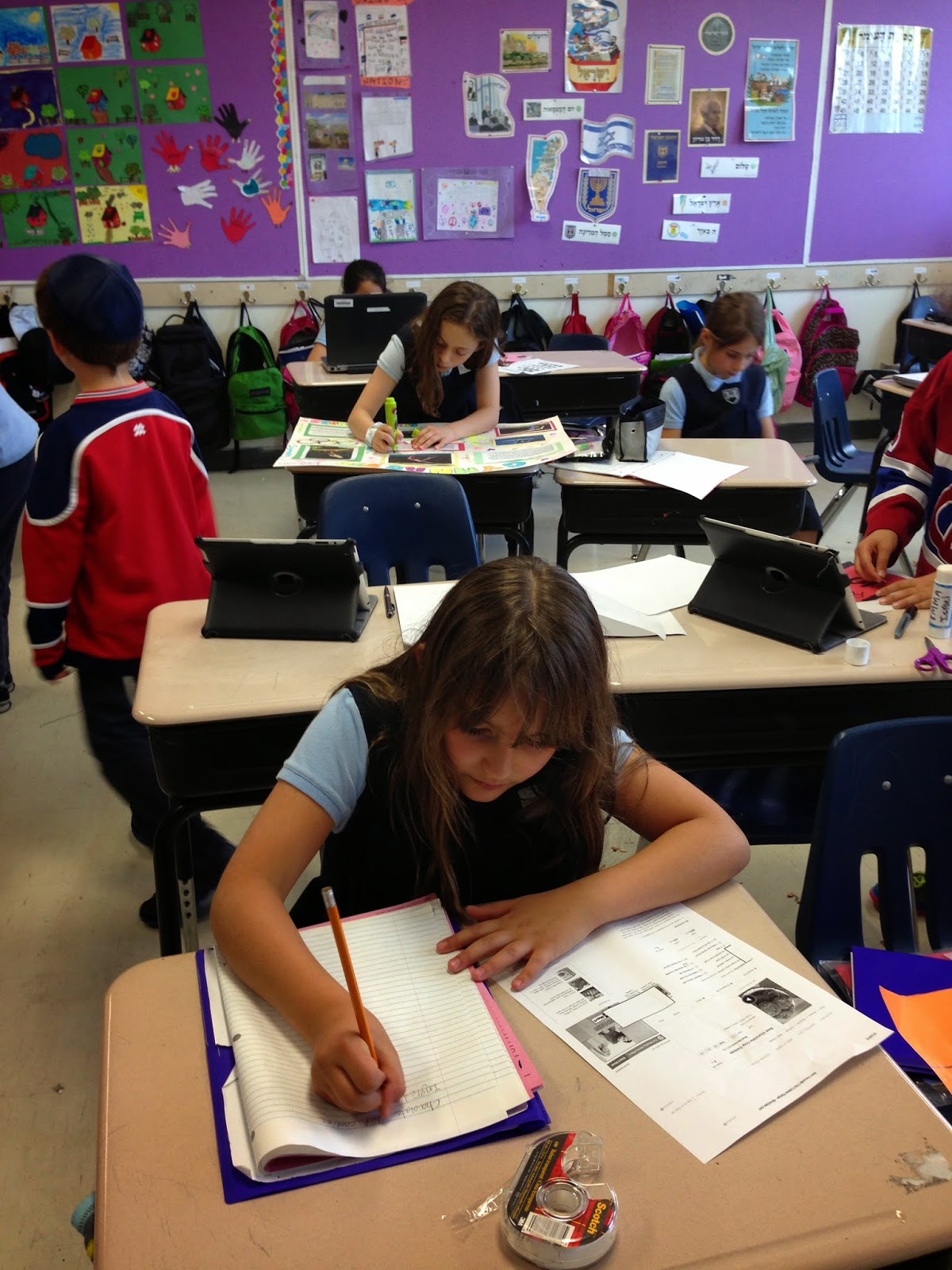
This is by far my favorite hour of the week! I look around my class and I can't even believe that these are my students. The whole atmosphere in the room changes during Genius Hour. There's an excitement but also a calmness that is hard to explain. I am doing ten things at one time and enjoying every second of it! Something interesting that I noticed today was that if someone needed my help, and they had to wait because I was helping someone else, they would just go look at what their friend was doing and help them a little. There was not one child who was not busy doing something or helping someone!
Many of my kids are already working on their projects and have chosen many different ways of presenting. Many of them chose platforms that we had already used this year and were comfortable with the technology like Book Creator and Animoto. Some are making bristol boards and others are exploring new technologies like Prezis, Shadow Puppets and StoryBird.
Most importantly, my kids feel great about themselves. Today I overheard one of my students telling her friend that she wasn't good at math. So I asked her, "But what are you 'Genius' at?' She gave me a big smile and said, "Gymnastics.". That's what her Genius project is about.
So here's my question and my challenge. Why can't my kids feel like this all the time? What can I change about my teaching so that more of the week has this kind of engagement and enthusiasm? What goes beyond Genius Hour? Something for me to think about....


Wednesday, April 29, 2015

Genius Hour Class 3

So this is the first week that I am starting to see some cracks.... While most of my kids are working nicely and still doing research, I have a few students who are not using their time as productively as they could be. There are 2 groups of kids who are struggling a little. One group is my kids who have ADHD because of the lack of structure during the hour. They are having a harder time focusing on their own. Then I have another small group where we are just not finding the right information at their reading ability. So I am trying to problem solve for these groups. I have asked a resource person if she can come in during the hour to help my ADHD kids stay on task. I think it will be very helpful. For my other group, I'm going to see if I can put together some video resources for them to use instead of texts. I'll give it a try, and if not, they may have to switch topics, but I hope to figure it out for them!
I have a few kids who are done their research and are ready to start putting together their information into a project to present. This is what I gave them.

I want them to be organized and think about what they will need to do their project. They are not allowed to come to the next Genius Hour and say that their supplies are at home. 

They filled out another reflection sheet for homework last night and today we looked them over. I wanted to make sure that they were really reflecting on what they did in class and that they are prepared for next week!
My Genius hour homework this week is to get my 2 kids who are learning to code from the practice stage to the actually creating something stage. I have to teach myself how to do it in case they need help! I also want to find videos for a few students to use as resource. It's definitely my favourite hour of the week! 

Tuesday, April 21, 2015

Genius Hour - 2nd class

Today we had our 2nd Genius Hour. My students were waiting all day for the hour to come. Any time they tried to talk to me about their projects today, I told them we would discuss it during Genius Hour (even though we had been discussing them all week!) It made the hour more special. When it was finally time, I got the ipads and laptops needed and posted a sign outside our door!

One of my biggest concerns was that I was going to have 24 students standing at my desk, asking me to help them find information for their research and that we would get nothing done. While some did need help looking up information, many came to class prepared with research that I had asked them to start doing at home. 
I had already given them their purple folders and notebooks and today they started taking notes in their notebooks.

Some of the projects my kids are working on include: Creating a baking cookbook, designing a pet store, learning about different roller coasters, police dogs, break dance moves, endangered animals in the Rainforest, writing an autobiography, learning about the five senses, pop art, the history of fashion,,,, just to name a few. I even have 2 kids who wanted to make their own video games so they are learning how to code through Koadable.com! 

At the end of the class, (and every Genius Hour class) my students were given a reflection sheet to fill out tonight at home. These are the questions they have to answer:

What did you do in today's Genius Hour?
What did you learn today?
Did you have trouble with anything today?
What questions do you have after today? How can you find those answers?
What do you need to do/get before our next Genius Hour?

I made it clear that the students have to know in advance what they will be working on each Genius Hour. That is the only way I will be able to manage and help 24 grade 3 students working on different projects! 

I can't wait for the next Genius Hour!


Thursday, April 16, 2015

Genius Hour

I am very excited to have begun Genius Hour in my grade 3 class this past Tuesday! I don't think I've been so excited to try something in my class since I introduced Daily Five into my curriculum a few years ago! I can't remember exactly where I heard about Genius Hour, but somehow it lead me to A. J Juliani's online course about it. Then I searched it out on Twitter, in Facebook groups, Pinterest, Teachers Pay Teachers and whatever else I could find! Many helpful educators lead me to the Genius Hour LiveBinder and other amazing resources.
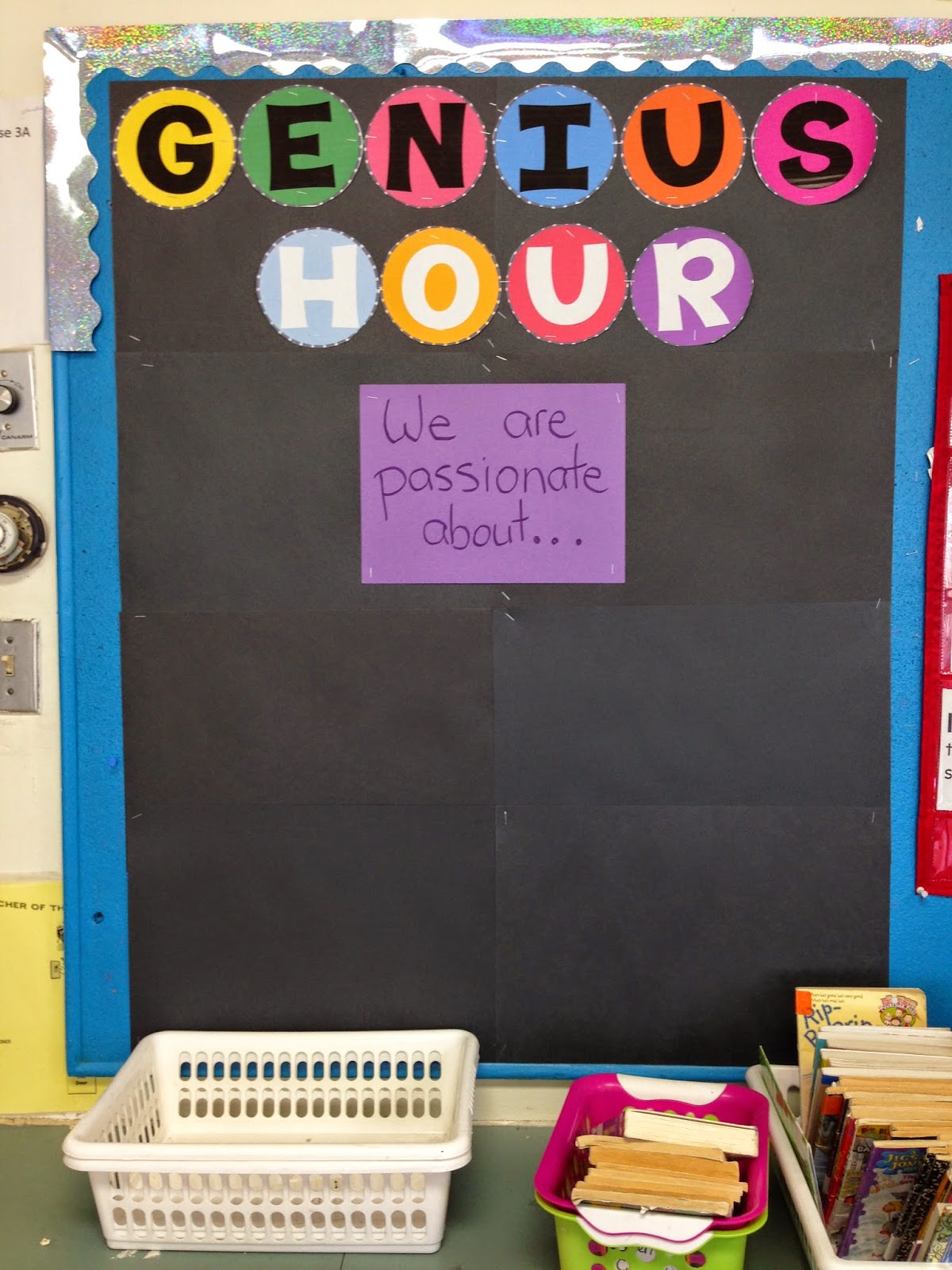
 Everything about Genius Hour just makes sense to me! Give my students time to work on something that they feel passionate about and watch their intrinsic motivation  drive their work. So I dove right in. I prepared my bulletin board (Thanks to Jen Runde for her design and sharing some of her ideas!)


I made sure to hype to my students all week that something special was coming! When the Hour finally came, they were very excited. I asked them if they knew what a genius was. I got answers like, "a very smart person," "someone who invented things..." I explained to them that the original definition of a genius was someone who creates or produces something so that means that they could all be genius'! I explained how Google uses 20% time for their employees and, like Google, we were going to have Genius hour!

Then I asked them all to close their eyes and think about something that they loved, that was important to them. They wrote in on post it notes and put it up on our Genius Hour board. 


After explaining a little about what we would be doing during Genius Hour every week, I showed them this video to give them a better understanding. 


After that, the students started working on a document that I gave them to brainstorm. There were 3 questions... 
What are some of the things that you are passionate about? That you love?

 How do you like to spend your time when you're not in school?

 If you could read/learn about anything in the world, what would it be?

At the end of the class, I read them a wonderful story:


For homework for the next Genius Hour, they had to go home, discuss with their parents and start thinking about ideas that they might like to learn about. 
Today, after having 2 days to start thinking and discussing, I gave them another post it and had them post new ideas that they might have had since their original post.


Today I also had individual "meetings" with half of my students to see what they were thinking about and help them come up with Inquiry questions (that's definitely the hard part!) It went amazingly well and we came up with some great ideas that my kids were really excited about. I read them another great story as well!


Tomorrow I will meet with the other half. I want to make sure every student is well prepared to begin our next Genius Hour on Tuesday. I feel like if I spend the extra time this week, it will help start the projects on the right foot. 

Every week they will have to fill out a reflection sheet about what they did in class that day, what did they learn, what did they have a hard time with and what do they have to do to prepare for the next Genius Hour. 

I forgot to mention that each child got a new purple folder and purple notebook to keep their things for Genius Hour because purple is the color of Genius! (Well,,,, that's what I told my kids!)

Looking forward (and a bit nervous!) for next week's Genius Hour!


Monday, June 17, 2013

Reflecting on my Technology Journey

What a year it has been! My goal when starting out on this journey was to learn about the different web tools out there and how to use them with my students. Throughout the year, my focus shifted to how to use the technology to improve my students learning and not just for fun. While technology certainly is fun and exciting for the kids, I really tried to focus and understand WHY it would be better to use a certain tool instead of a traditional method. There was a lot of reflecting in my work this year. Another aspect that changed my teaching this year was Twitter. Twitter opened my eyes to a community of professionals who are out here, sharing their work and views with the world. They are inspiring. I have learned so much from following great educators on Twitter. For my final project, I put together a presentation for the staff at my school to show them what I did, what is out there, and what they can do to start to integrate technology in a meaningful way. My school has given me some weekly hours next year to work with teachers from my school who are interested in learning how. I am looking forward to it and to continuing my own professional development in this area. Good teachers know that they always have more to learn!

Monday, March 11, 2013

Wordle


I love wordle (www.wordle.net)! You simply copy and paste in your text and it creates an amazing word design.I tried it out with my students today. We are working on a biography unit and learning how to summarize information. We worked on a class summary and then we put it in Wordle! The kids were amazed when they saw which words came out bolder than others and we had a great discussion about which other words we felt should be bigger to represent more of Robert Munch's life. My kids are going to do a wordle activity next week for a biography that they have read independently. Here's a link to our class' Robert Munch Wordle.
http://www.wordle.net/show/wrdl/6472209/Munch

Saturday, February 23, 2013

And the best free web tool award goes too....

I just watched an wonderful session form ISTE 2011 on the the best free web tools in the different categories. Having spent the past six months learning about different web tools, I was amazed by how much I still have to learn! The presenter showed examples of what he feels are the best in each category. For example, the best search tool for kids went to Searchy Pants, the best social web tool went to Schoology. This session was informative and entertaining as well. He even had an "in memoriam" segment for web tools that no longer exist. I was excited to try Jaycut, a video editing site that he recommended, but it no longer exists. I'm excited about Capzles, a timeline site, that I'm going to try with my students when we are studying biographies. Goanimate also looks amazing for creating animations. He also gave us a link to his website which also looks great. It is a free site to explore and offers a ton of great resources for teachers (www.edutecher.net). I have a list of new things to explore! It was well worth the hour I spent watching this session!
http://www.isteconference.org/ISTE/2011/program/search_results_details.php?sessionid=60632303&selection_id=82537289&rownumber=4&max=54&gopage=

Tuesday, February 19, 2013

Why Wiki?

One of my goal's out of my Ed Tech course, was to try to get a better understanding of the differences between, wikis, websites, blogs etc. They all seemed to do the same thing! While I still notice that many of their purposes overlap, the shared editing aspect of the wiki is fascinating to me! I tried using a Wiki for the first time with my third graders and it was a huge success! I wish I could have taken a picture of their faces when I taught them how to use the wiki. They were so excited! Later on when I had them write a reflection about the assignment, that was their favorite part. They loved that they could access it at home, show it to their parents, see the other ideas of the children in their group, and build on those ideas. It was very motivating for them and really pushed them to put their best ideas forward.
Looking through lists of Educational wikis available, I feel like I can get lost forever into researching them! I am amazed by the amount of materials out there and by the generosity of teachers and coordinators who share their ideas with the world! I'm looking forward to the exploration!

Sunday, February 3, 2013

Visual Tools

Visual tools were always something that intimidated me. I always loved the idea of creating digital stories or videos with my classes but it seemed like too much to take on considering the young ages of my students. I just imagined that I would end up doing all the work. This week, while trying to look through all the resources in my text book on Visual Tools, I came across Animoto. Since you can make a 30 second video for free, I decided to try it. It was so easy and so much fun! I made a short video of pictures of my first graders on Teddy Bear day.
Since then, my mind has been racing with ideas on how to use the technology with my students for more than just displaying pictures of them (although I'm sure the parents will love it when I link it to my class blog). Next week I am starting a new Unit on Biographies with my third graders. I think they would LOVE to make short videos with captions of someone that they read about! I'm looking forward to trying it with them. Again, I have to acknowledge the wonderful teachers and coordinators who are part of my Ed Tech class for their inspiring work and ideas. I am learning so much from all of them.
http://animoto.com/play/GoDowz01Z8LBsvj2TD7krA

Tuesday, January 29, 2013

Social Media

Ok, I'll say it. I love Facebook. I have been on Facebook for quite a few years now and I love how it reconnected me with friends and acquaintances from so  many years ago. I love seeing the pictures of their families, sharing in their Simchas and their lives even from a distance. I love posting pictures of my own family, my sons' bar-mitzvah pictures and some of my own special family memories. I love the different groups I have been a part of. Sometimes I hear news from Facebook even before I hear it on CNN! I love the little jokes that are posted and hearing so many great stories from people.
What's new to me though, is using Facebook for advancing my professional development. I created a k-3 Technology group and have already had people asked to join. I started searching educational pages and was surprised by how many were already on Facebook. Someone in my Ed Tech course started a group for us on Edmodo and I think it was an amazing idea and a great way for us to share our ideas and our professional resources. It's been very enlightening to use social media sites for professional communication.

Sunday, January 20, 2013

Productivity Tools

I am slightly overwhelmed by the amount of productivity tools that I was exposed to in this week's lesson. I feel like it will take me weeks to really go through all of them and see how I can use them effectively. I've been told that using Google Docs is a great way to always have access to your documents. As a person who has always used Microsoft Word, I was reluctant to make the change. The arguments make sense: always have access to documents, don't have to worry about saving on a usb, able to collaborate on one document etc. Today someone in my group posted about Google Cloud Connect, and he absolutely made my day! Google Cloud Connect allows me to continue to use Word and then sync my document into Google Docs. I feel like I have to best of both worlds now. I can continue using Word and still have all the advantages of Google Docs. I am very grateful to the amazing educators that I am learning with in this Ed Tech course.

Saturday, January 12, 2013


When  I first started thinking about this week’s lesson, using podcasts and vodcasts in the classroom, I guess I was thinking about it more as a teaching tool to use with my students and not as much as an instrument for learning. I imagined myself making vodcasts to attach to my websites. I thought about videotaping myself teaching a certain math concept that my students could refer to if they were studying or having difficulty with a concept. I thought I could also find vodcasts online that I could send them to if they wanted to learn something. This week, while researching for this assignment, I came across some great podcasts done by first and second grade students. I was listening to them read their stories online and I began to think differently about podcasts and their uses. What a great way to practice reading and improve fluency for young readers! As a first and third grade teacher, I’m always trying to find ways to use technology with my students that is grade appropriate. During this course, I often started out the weeks thinking my kids are too young to use this technology. But the more that I research and look what others from this course are doing, the more uses I find for my little ones.  I am looking forward to seeing what everyone else is doing with vodcasts and podcasts. 

Saturday, January 5, 2013

Twitter in the Younger Grades?

This week I was reading about microblogging and Twitter in particular. While I had a Twitter account from a year ago or so, I never accessed it. I only signed up to see what my teenage sons were talking about. Now that I've had to revisit Twitter for my Ed Tech course, I'm seeing it in a new way. I guess I never realized that there was more to Twitter than following Oprah! Our assignment for the week was to come up with a Twitter lesson plan that is relevant to what we teach. Being a first and third grade teacher, I was stumped on how I could possibly use it with my students. I decided to aim for a lesson with my third graders as I thought I would have more success. As I was searching on google for inspiration, I was quite surprised by the amount of blogs out there with ideas for using Twitter in the class. Although, most of them were geared to higher levels than I teach. For the younger grades, Twitter seemed to be used more as a communication tool with parents. I use a blog for that so I didn't feel that would be useful for me. I didn't want my third graders using Twitter for personal information so I decided to have them created fictional Twitter accounts for biographical figures that they were reading and "Tweet" from their character's point of view. I hope it's a lesson that I will be able to try, as I'm going to have to speak to administration as well as the parents on their feelings about using Twitter with 8 and 9 year olds. I would be curious if anyone had any experience they could share about using Twitter with younger students.

Wednesday, December 19, 2012

Blogging Beginning

Blogging is new to me. I began two blogs this year for my students and for the parents of my first and third grade classes. On those blogs I have been updating parents on what we've been doing in class. I've been uploading some pictures for them to see as well. I've posted links to educational sites as well as posted some of the work we've been doing in class. I started a Book Club with my third graders where they can write about the books that they are reading. I added a Wiki about Character traits from The Wizard of Oz, and my students have been adding traits as we are reading the novel. It has been a wonderful experience for me and I am learning a lot while I am working on it. I find myself looking at my literature units and trying to come up with ways to incorporate technology into them. While that is more of a blog for my students and parents to use, I am looking forward to discussing ideas here and getting feedback from other teachers.